Brenman Talent
An in-house people operations platform that retired a per-employee software subscription. Designed and built in two weeks, live across the company on June 1, 2026, on a cost base that stays flat no matter how many people we hire.
The tool that managed our growth was also taxing it.
Brenman Consulting ran its people operations on Zoho People, a capable HR product priced as a per-employee, per-month subscription. It did the job. But under per-employee pricing, every new hire added another paid seat, and every seat pushed up a recurring bill that only ever moved in one direction.
For a company that intends to grow, that is the wrong shape of cost. The software meant to support hiring was making each hire a little more expensive. The more successful the company got, the more the back office cost to run.
We were paying per seat for a problem that does not change per seat.
A single company's HR needs are stable. Attendance, leave, policies, a directory, onboarding, approvals. None of it gets more complex when you add a person. It gets applied to one more row. Yet a per-seat subscription charges as if every new employee were a brand new problem to solve.
- The cost scaled with headcount, while the value and complexity of the work stayed the same.
- Most of what the subscription bought was generic flexibility built for thousands of companies, almost none of it shaped to how Brenman actually runs.
- Our real policy lived in a leave-policy document, with its own leave types, accrual, carry-forward, the sandwich rule, and director approvals. The tool could not read it, so we kept bending our process to fit the software.
Per-seat economics only make sense when the problem is open-ended. Ours was bounded, and a bounded problem can be owned instead of rented.
Build it once, scope it to exactly what we need, run it for almost nothing.
The plan was two weeks and a clear rule: build precisely what Brenman uses and nothing it does not. That constraint is the whole reason two weeks was enough. Instead of configuring a generic product, I designed and built one that encodes Brenman's own policy directly. The leave engine reads the company's leave-policy PDF and turns it into real entitlements; attendance, approvals, and digests run on scheduled automation rather than on a per-seat headcount.
The economics flip the moment you own the surface. Where the subscription charged for every seat, this runs on infrastructure with a flat, near-zero marginal cost. Adding the hundredth employee costs the same as adding the eleventh, which is to say it costs nothing.
"The subscription charged me more for hiring. The platform charges the same whether we are ten people or a hundred."
Designing and building at the same time, with AI in the loop, kept the two-week timeline honest. Every screen earned its place against one test: does an employee or an admin actually do this, the way Brenman does it? If the answer was no, it did not get built.
For the look and the interaction patterns, I studied how modern HR platforms like Deel make heavy operational software feel calm and human. Deel hides enormous complexity behind a surface that never feels heavy, and that set the bar: an internal tool an employee opens without dread. I borrowed that restraint, then pared it down further to only the surfaces Brenman actually uses.
A glimpse of the build.
Brenman Talent is live and internal. Below is a walk through the surfaces people use every day, then the hiring flow from the public careers page to the offer. The architecture, data model, and policy engine sit behind a request. Click any screen to open it full size.
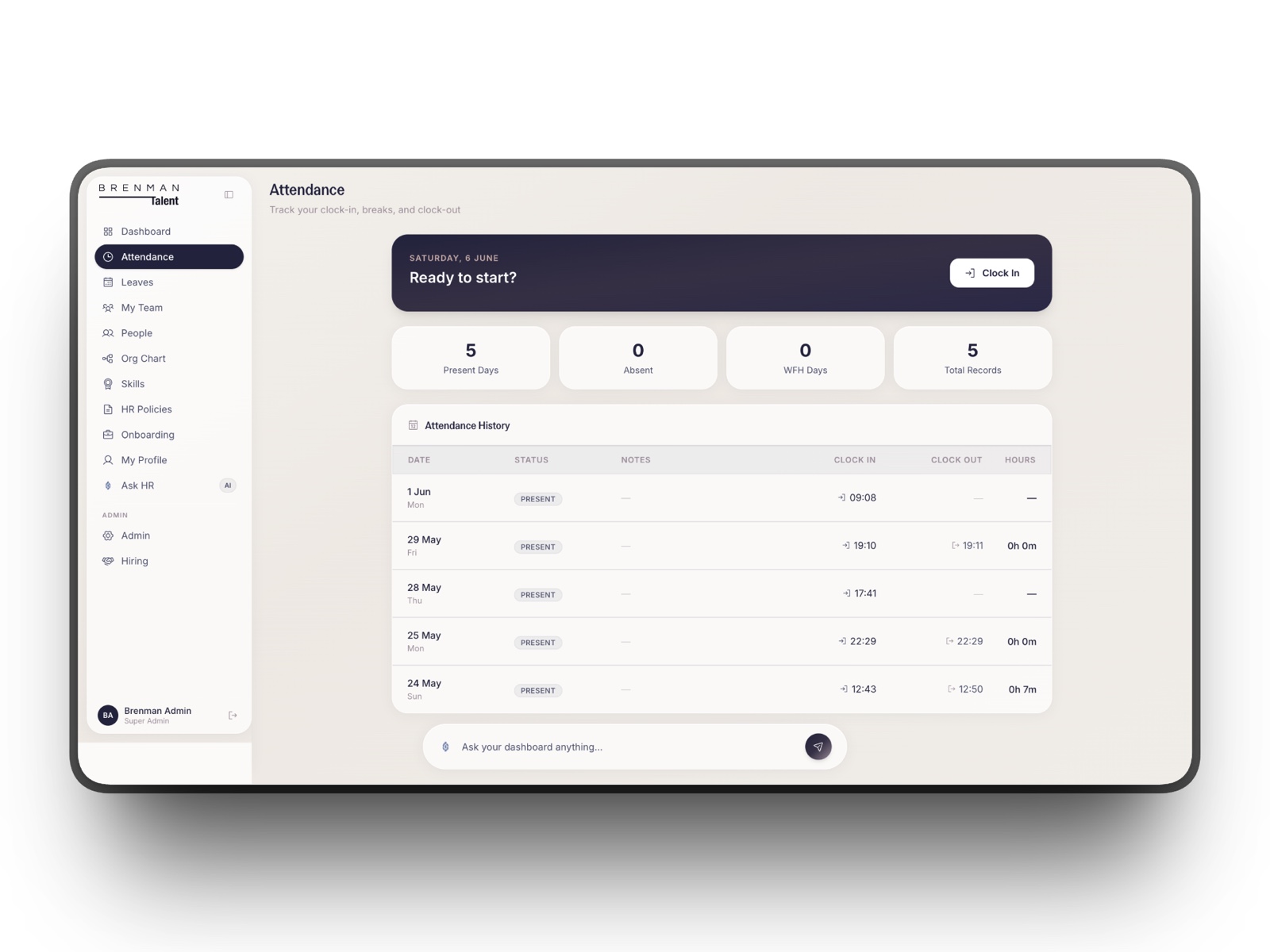
Every dayAttendance that logs itself
One tap to clock in or out, present and absent days at a glance, and the full history below. Automated reminders nudge anyone who forgets, so the record stays honest without a manager having to chase it.
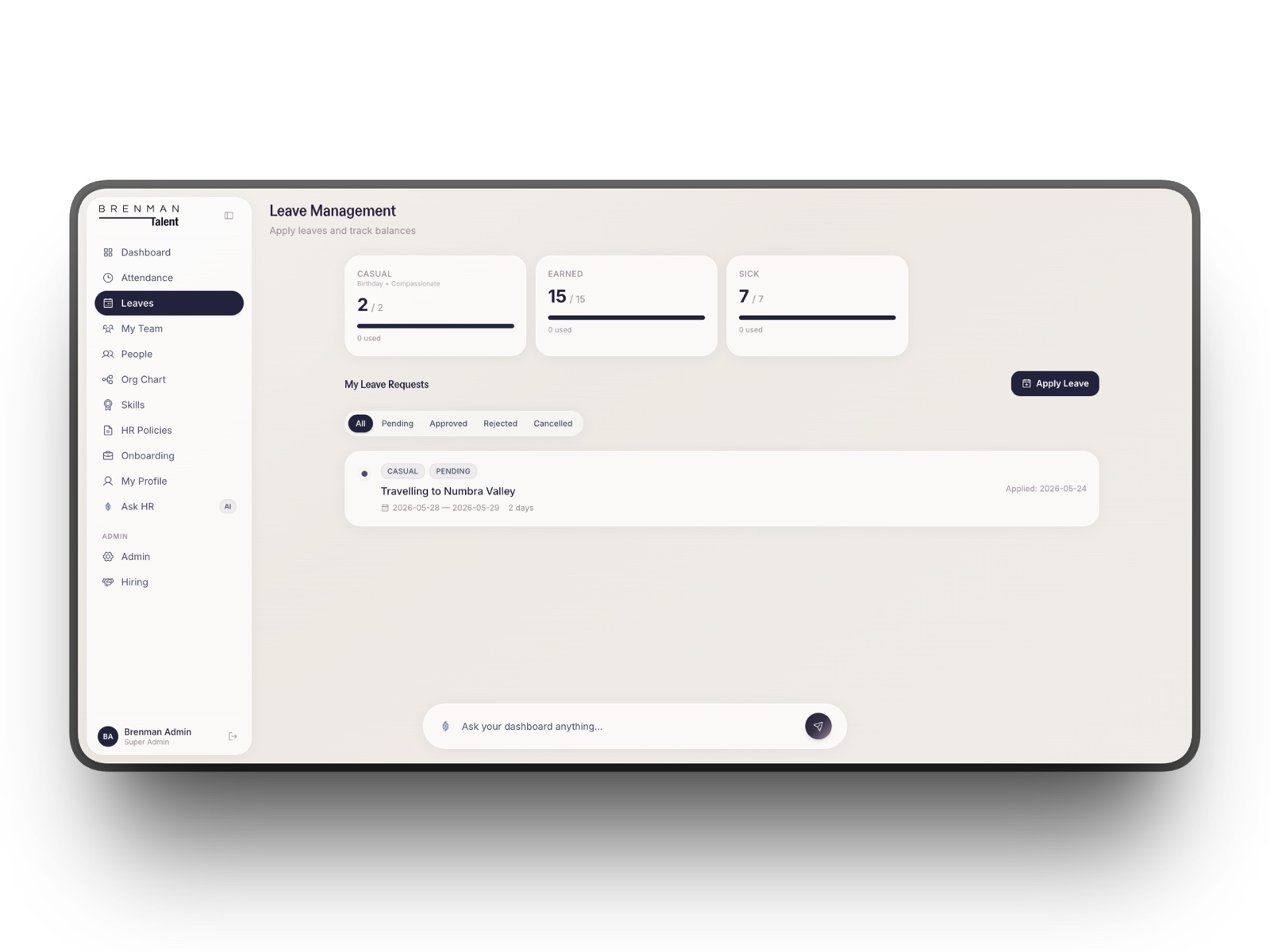
Leave, driven by the actual policy
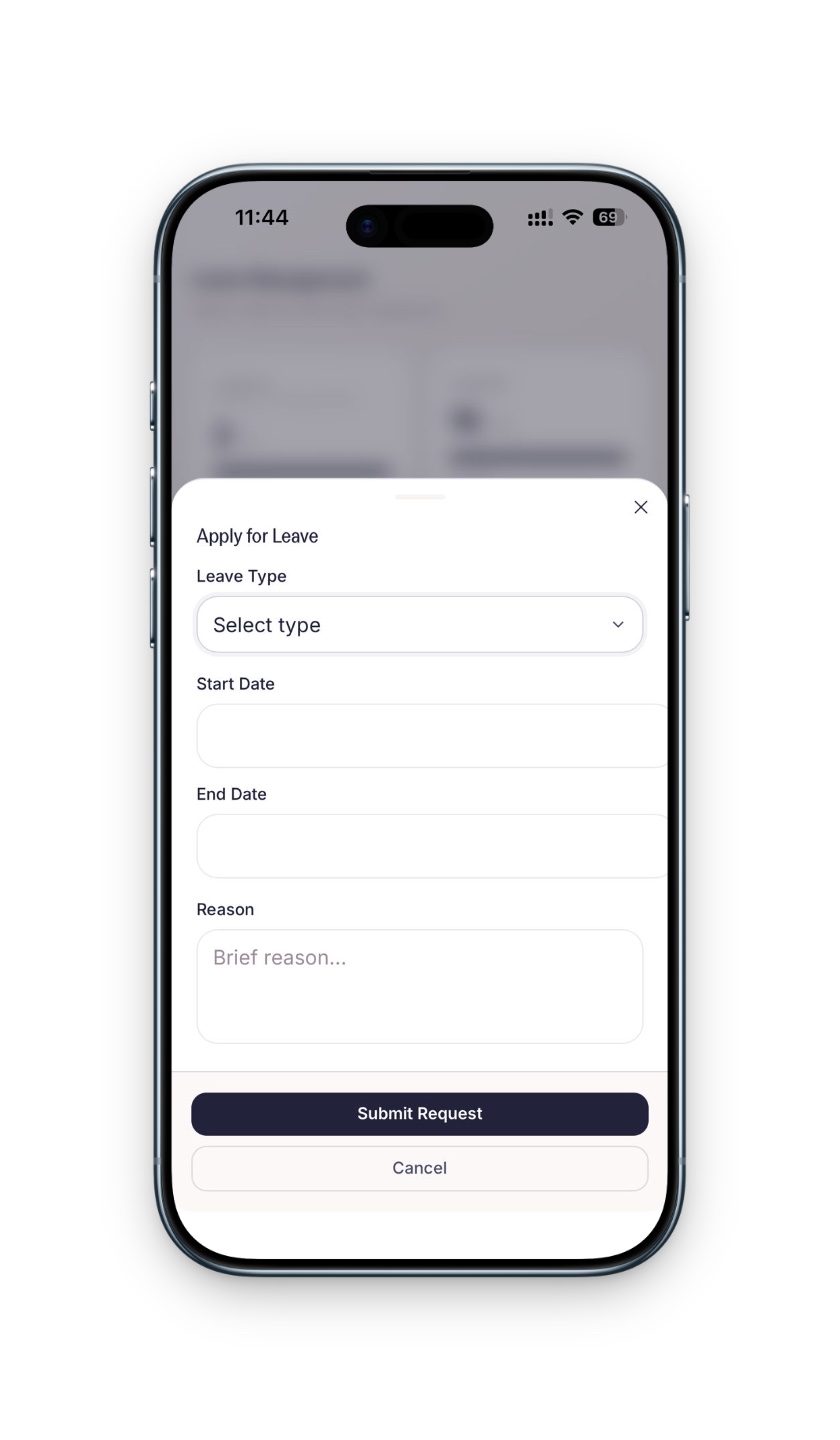
Casual, earned, and sick balances up top, requests below, and one button to apply. The engine reads Brenman's own leave-policy document and turns it into these numbers, accrual and carry-forward included, so nobody configures entitlements by hand.
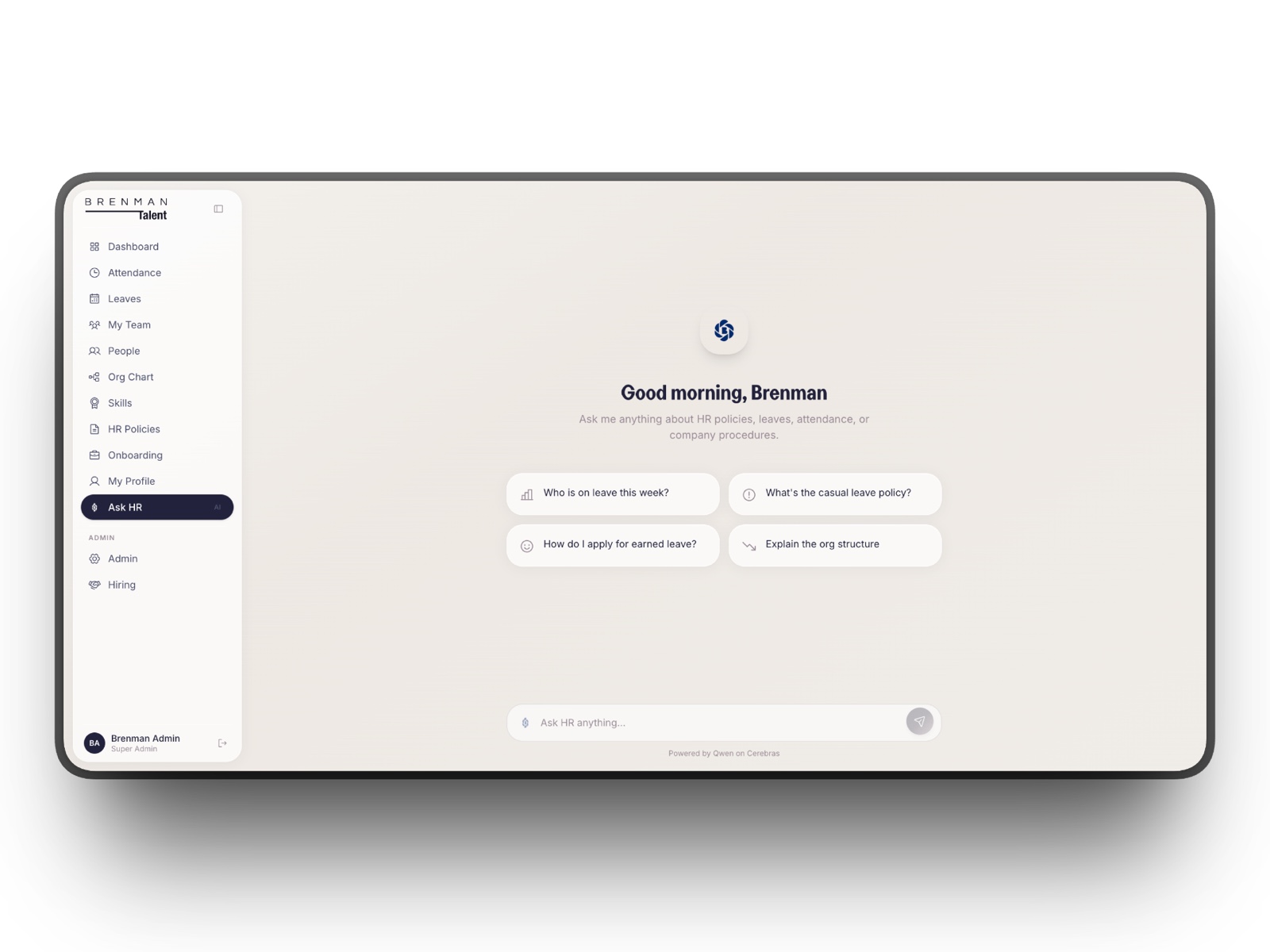
Ask HR, the assistant that reads the policy
Instead of messaging a person, employees ask in plain language: who is on leave this week, what is the casual leave policy, how do I apply for earned leave. It answers from the company's real data and its actual policy documents.
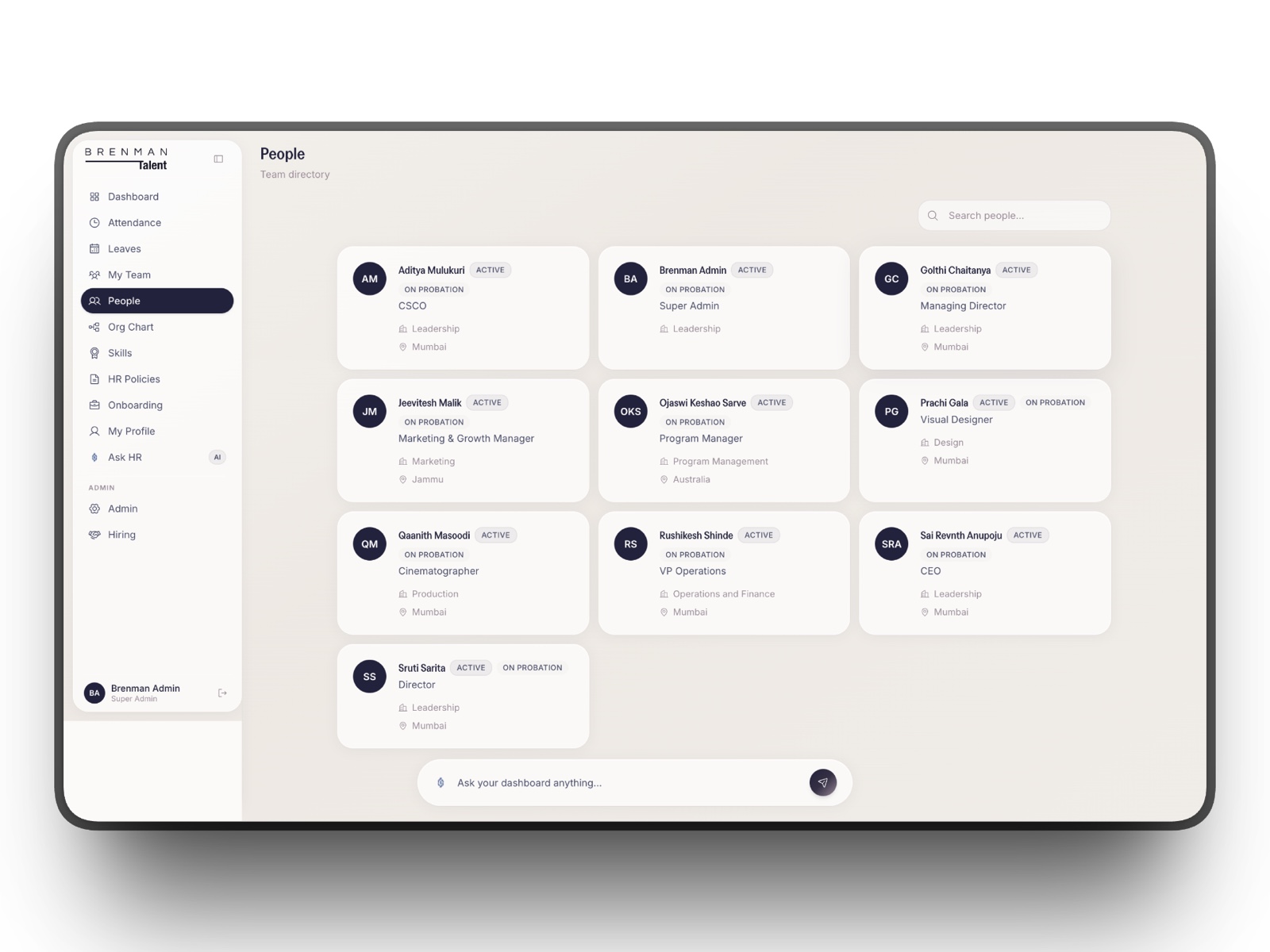
The company, as a directory
Every employee as a card with role, department, status, and location. Search and filters make it the fastest way to find a person and see what they do.
How the company is actually structured
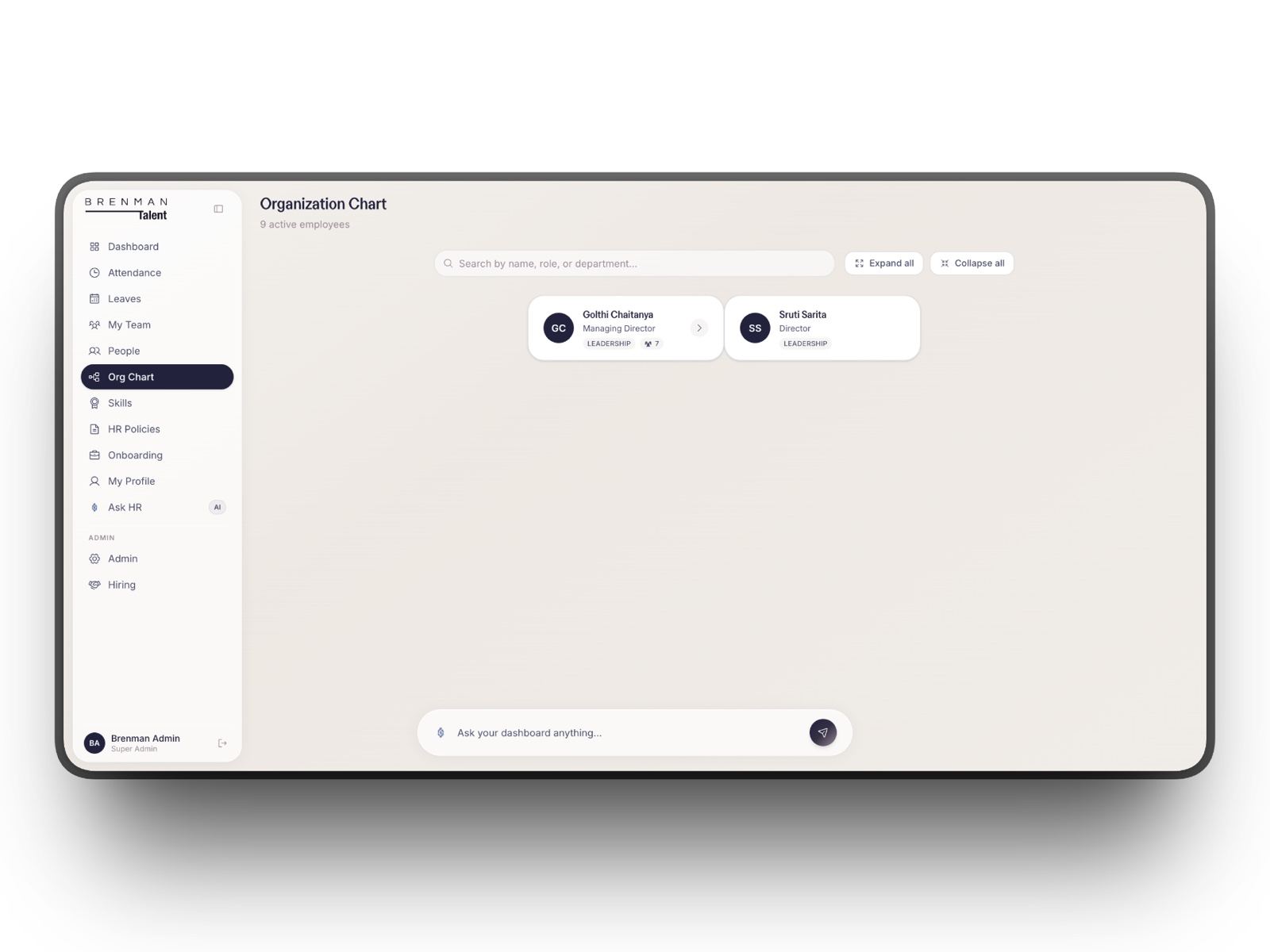
An interactive reporting tree built from the same people data, so the hierarchy is never a stale slide. Expand, collapse, and search to trace any reporting line.
A manager's view of their people
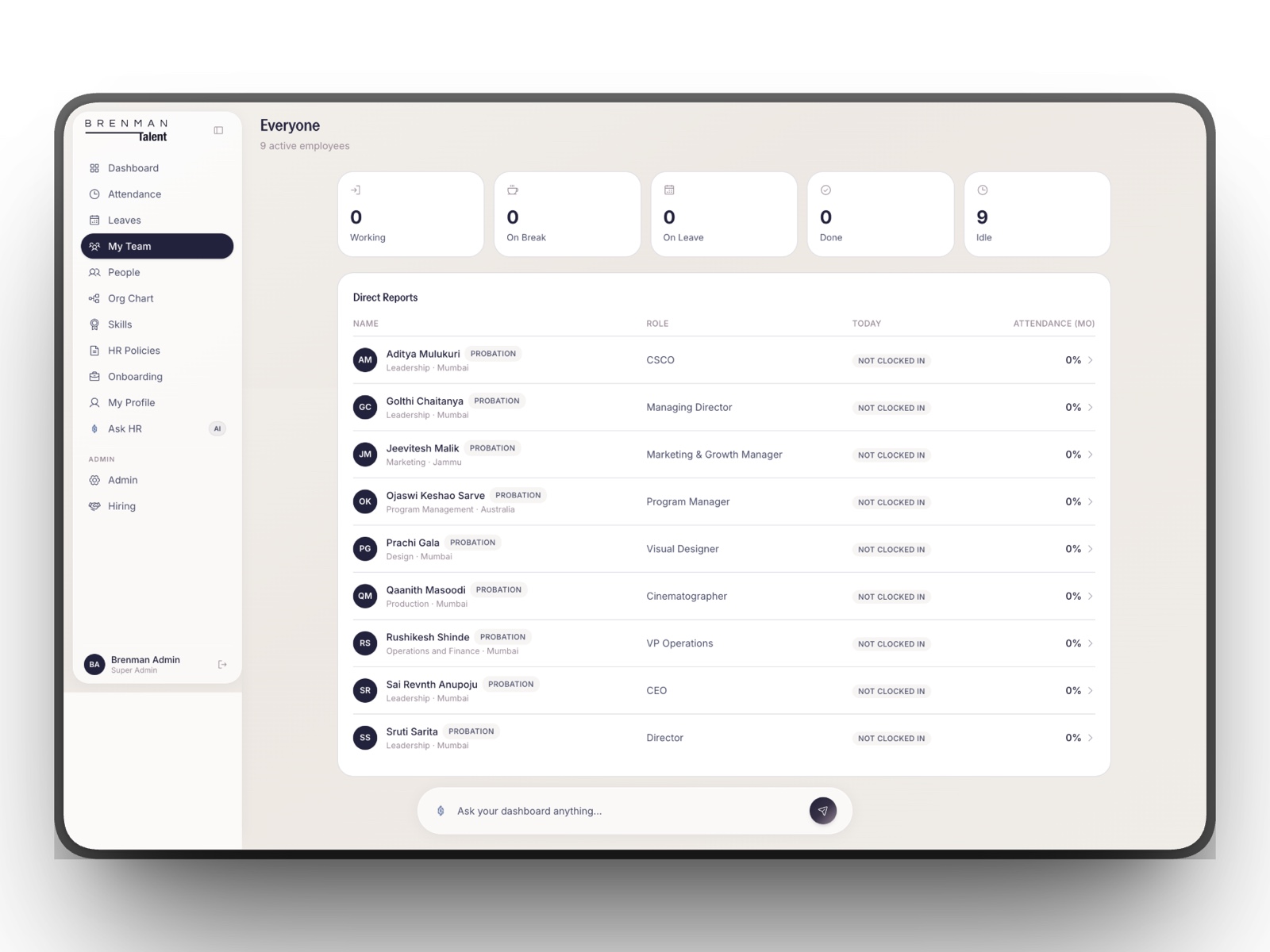
Direct reports in one place with live status, who is in, on a break, on leave, or done for the day, plus attendance at a glance. It appears only for managers and above.
Skills and certifications, tracked
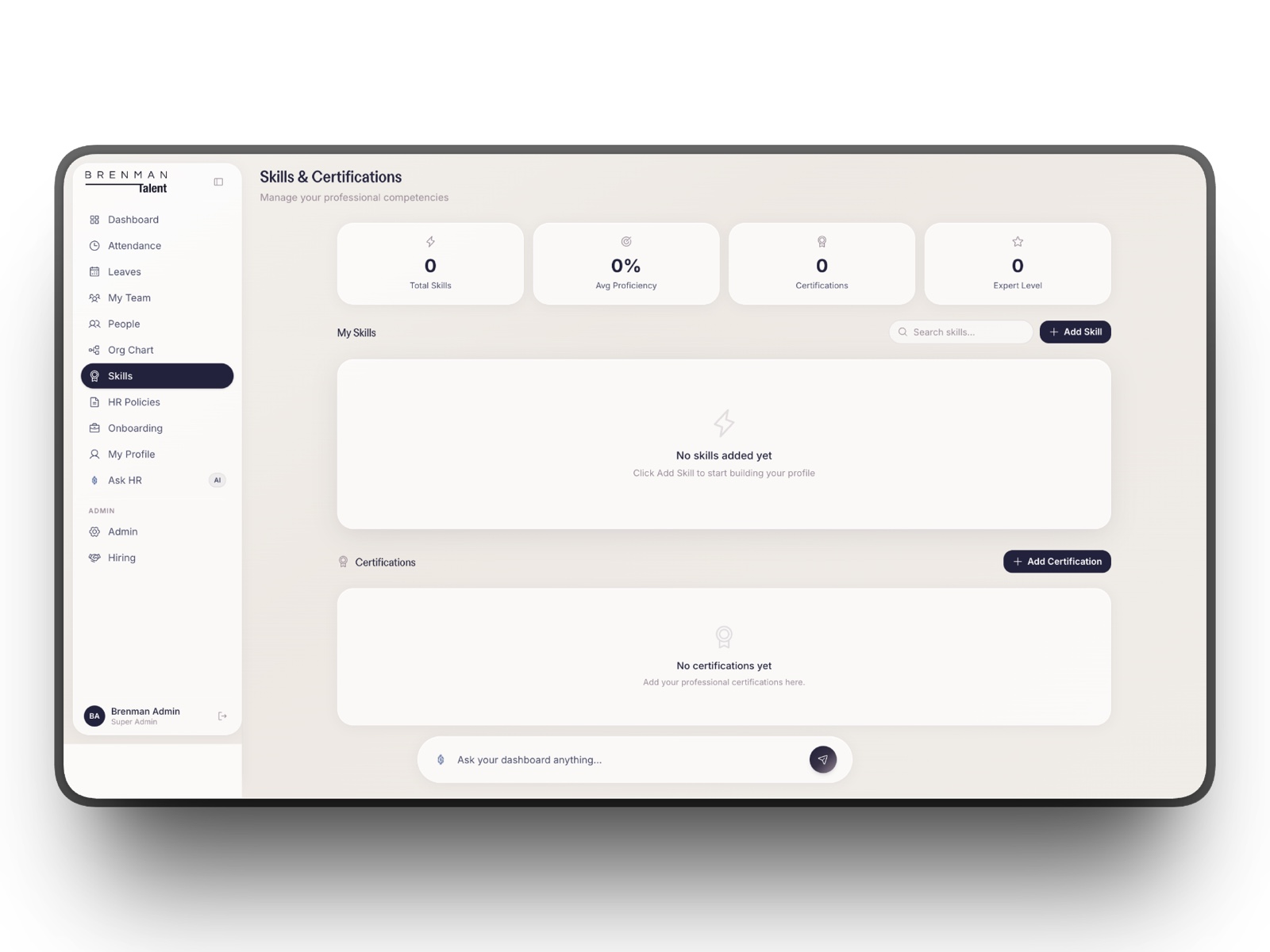
Each person builds a profile of competencies and certifications, which gives the company a real map of who can do what.
A public careers page, hiring's front door
A clean public page that lists open roles in the company's own voice. It runs on the same platform, with no separate website or paid job board.
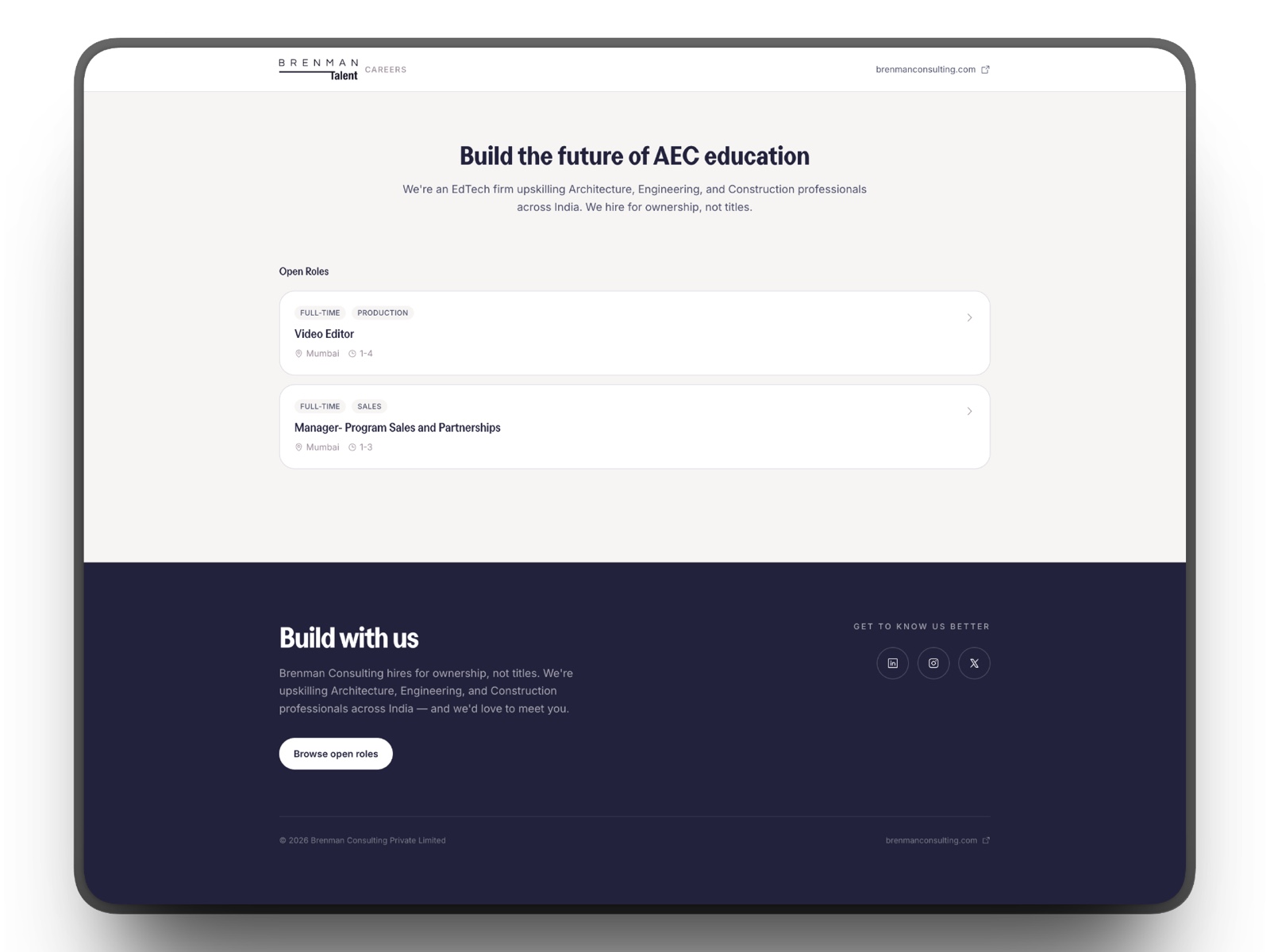
This is the one surface that is public. See the live careers page →
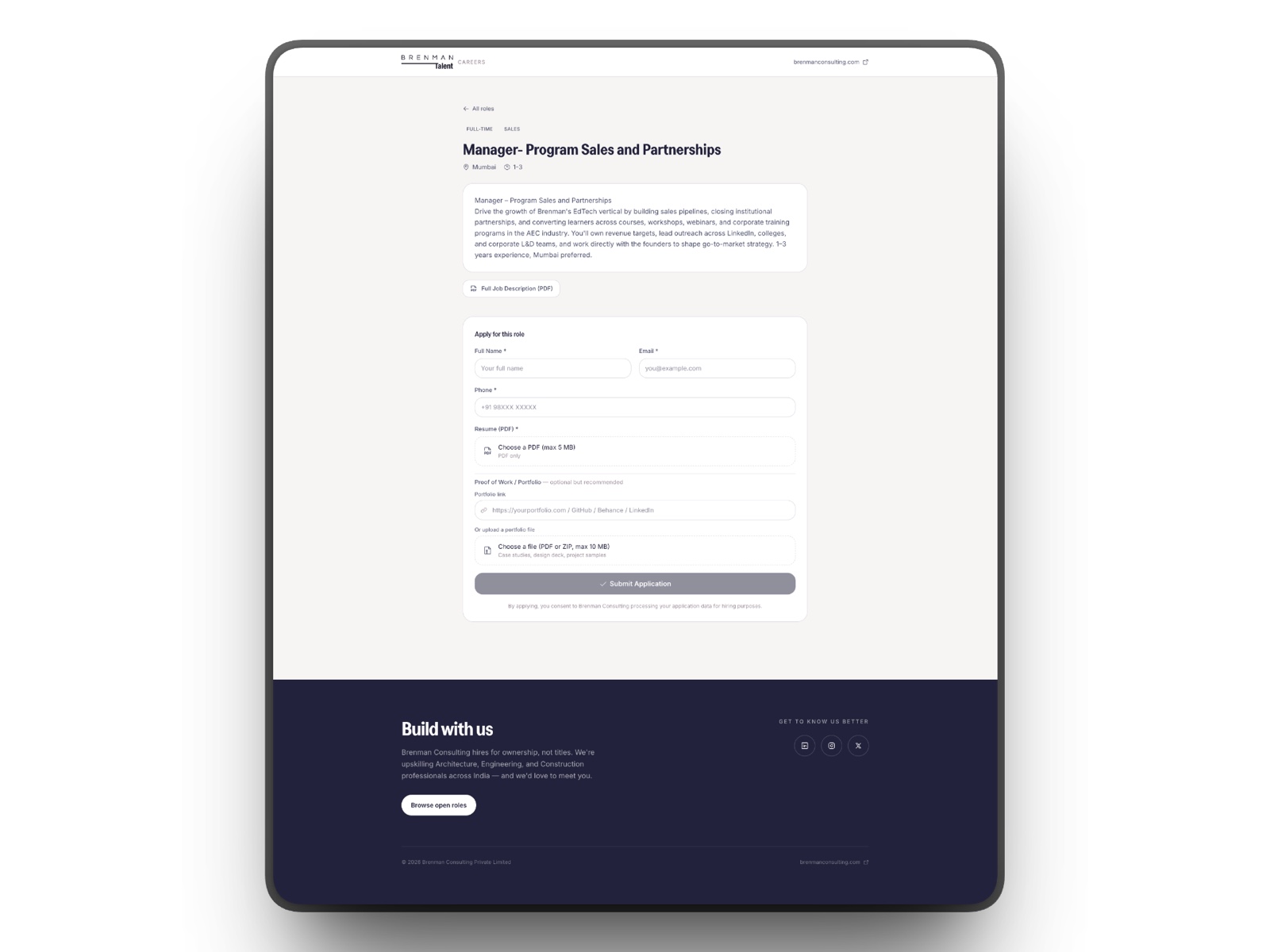
Apply in a single page
Each role opens to the full description and an application form: details, a resume, and a portfolio link. Candidates apply without creating an account or leaving for a third-party site.
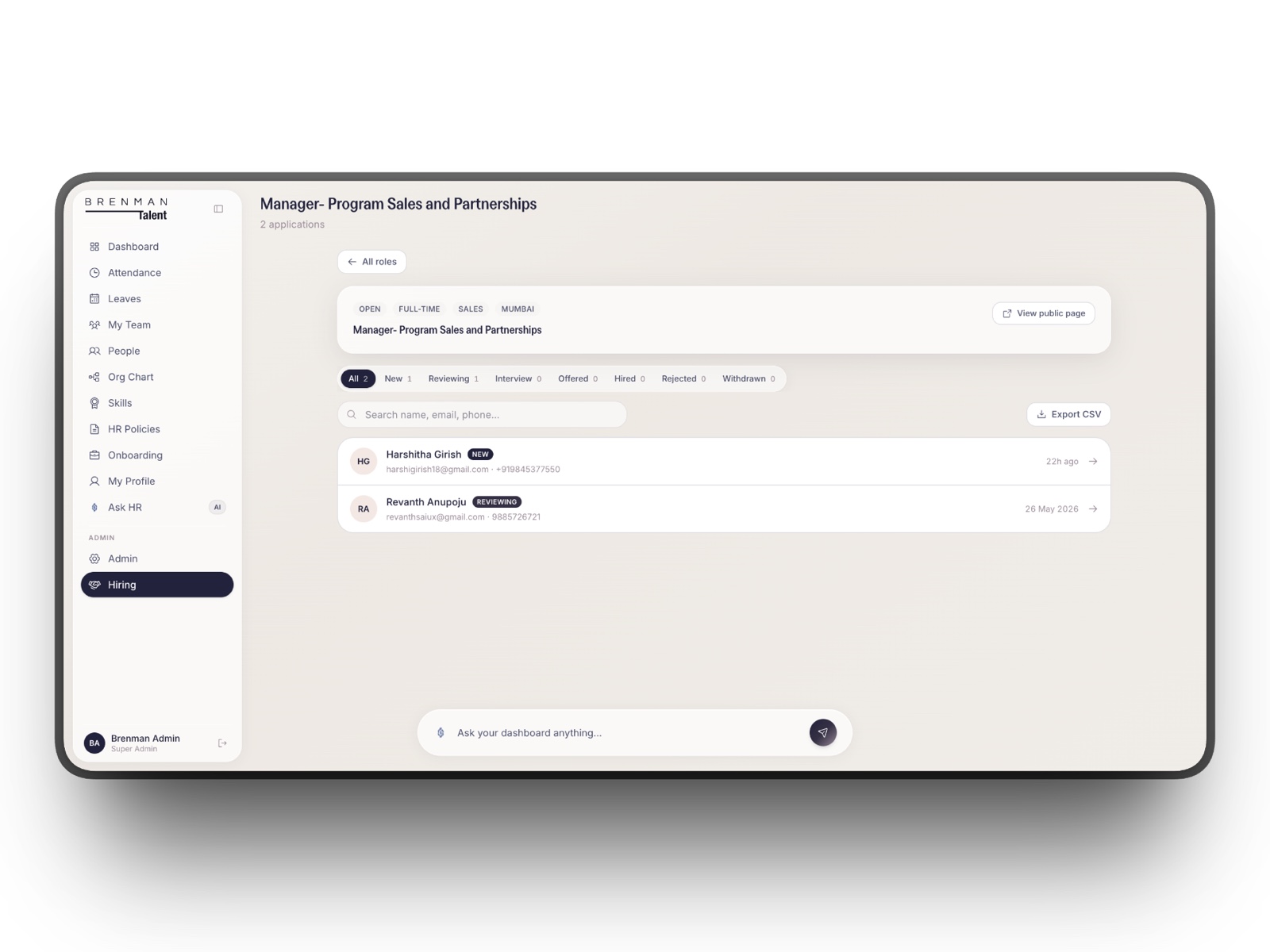
Every applicant in one pipeline
On the admin side, each role has a pipeline: new, reviewing, interview, offered, hired. Applications land here automatically, filterable and exportable, so nothing slips through a forwarded email.
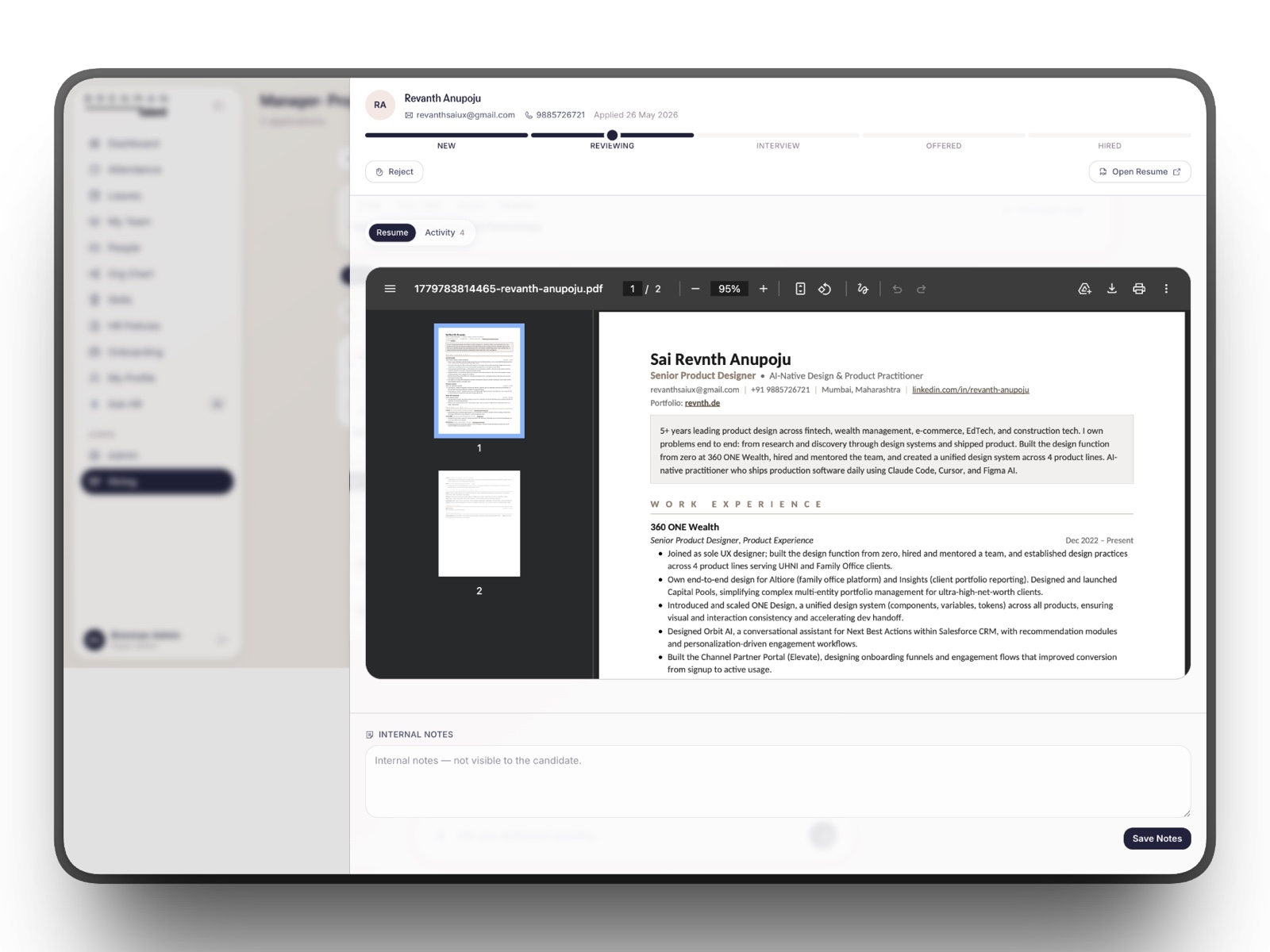
Review the candidate without leaving the system
Open any applicant to read their resume inline, leave internal notes, and move them through the stages. A hired candidate converts straight into an employee record. That retired a separate job board and applicant tracker we no longer pay for.
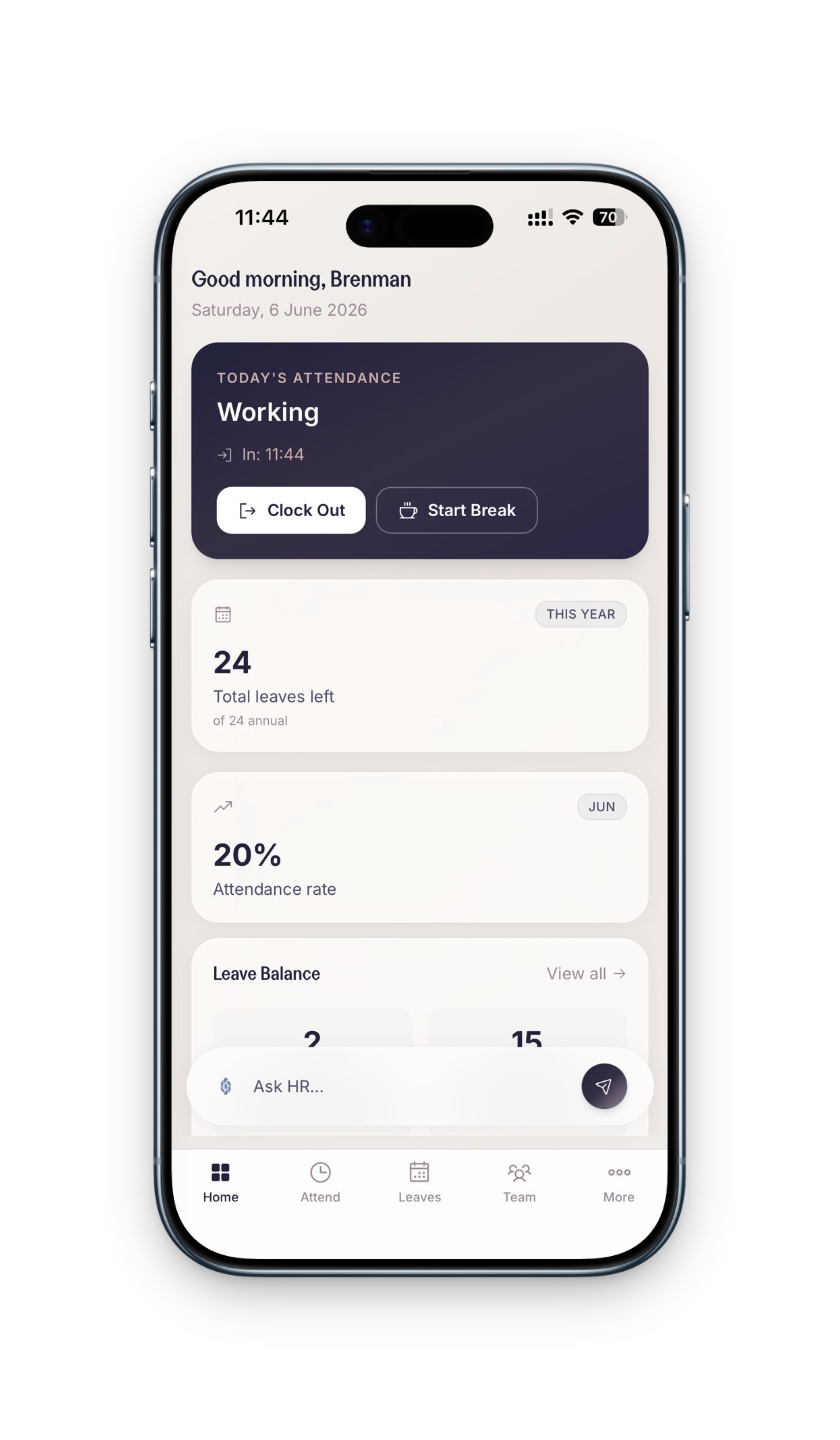
Built as a PWA, installable anywhere
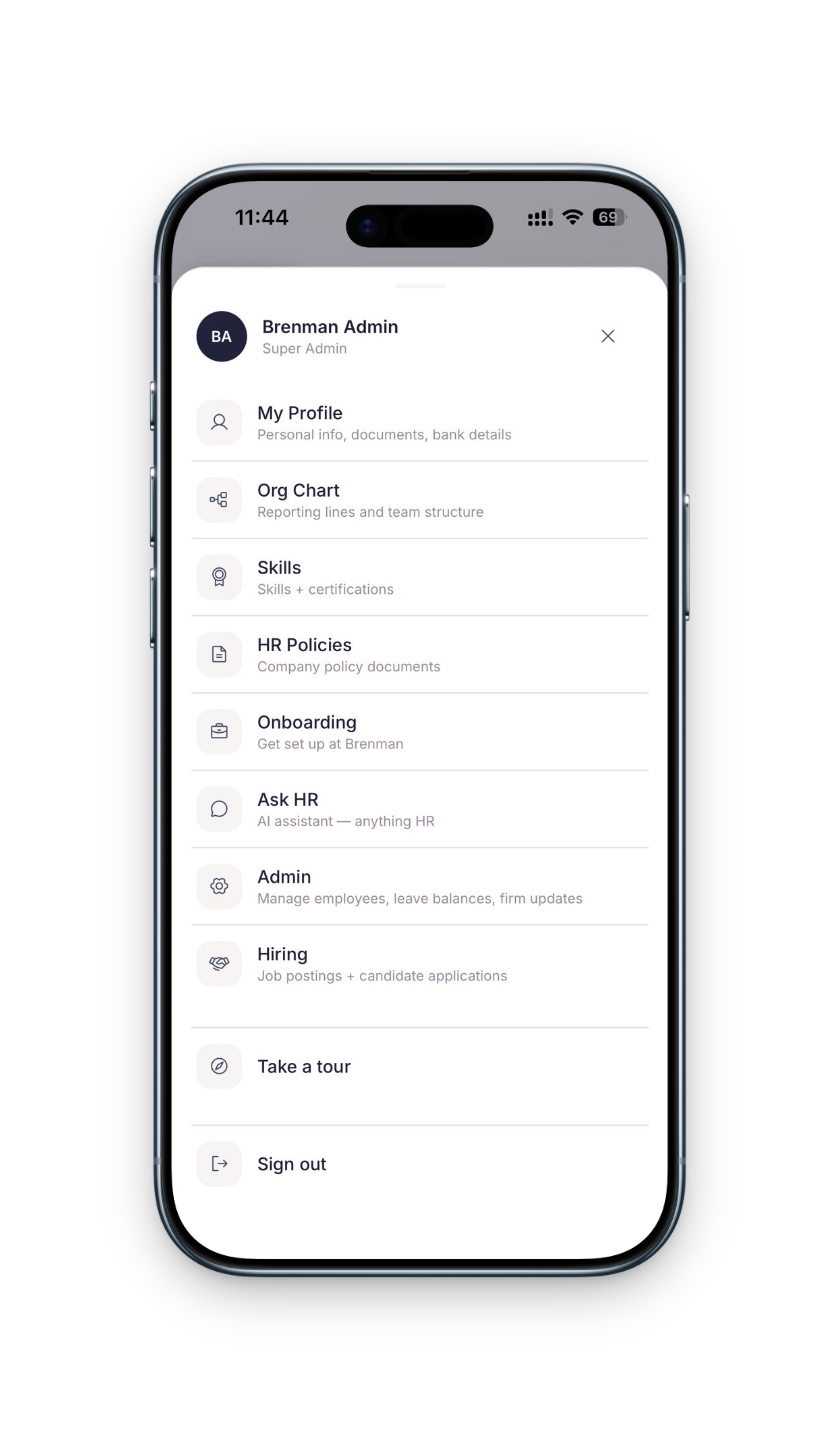
Brenman Talent is a Progressive Web App. There is no app store and no second codebase to maintain. On desktop or on a phone, an employee can add it to their home screen and open it like a native app, with the layout collapsing to a thumb-friendly shell with bottom navigation on mobile. Clocking in, applying for leave, or asking HR a question is one tap away, at a desk or on the move.
A lean stack chosen to keep both the build and the bill small.
Every piece was picked for two reasons: it let one person move fast, and it runs on free or low-cost tiers that do not scale with headcount.
- Framework
- Next.js 16, React 19, TypeScript
- Interface
- Tailwind CSS v4, shadcn/ui, Base UI, Framer Motion
- Backend & data
- Supabase Postgres, Auth, row-level security, RPC
- Auth
- Google OAuth domain-restricted to the company
- AI assistant
- Vercel AI SDK with Cerebras inference
- Resend invites, approvals, digests
- Automation
- Vercel Cron reminders, accrual, year-end rollover
- Documents
- Server-side PDF parsing for policy and holiday calendars
- Reliability
- Sentry, Upstash Redis rate limiting
- App shell
- Installable PWA web and mobile, no app store
- Components
- react-day-picker, cmdk sonner toasts, driver.js tours
- Hosting
- Vercel fixed, near-zero monthly run cost
The cost curve, flattened.
The old model charged for growth. The new one does not. The build was a one-time, two-week cost; running it is a fixed monthly bill that does not move when the team does.
Four more months of modules, on the same fixed bill.
Because we own the platform, new needs became features instead of new subscriptions. Between July and October 2026 I shipped payroll with salary templates, both tax regimes, TDS, and Form 16 Part B; offer letters with a live preview and a CTC annexure; an HR letters hub with seven letter types; review cycles with weighted OKRs; vendor and instructor contracts; and a project spend ledger that fills itself from uploaded invoices.
The team also moved its chat in-house. Banter has channels, DMs, file sharing, and voice notes, with messages encrypted at rest, and Circle adds voice, video, and screen-share calls. Travel and expense requests now go through an HR, CEO, and Managing Director approval chain, and the privacy work for India's DPDP Act (consent, data export, retention) shipped alongside.
Owning the tool beats renting the workflow.
Per-seat software is the right call when a problem is open-ended and you need a vendor to keep solving it for you. People operations for a single company is not that. It is bounded, well understood, and it changes slowly. When a problem is that stable, the per-seat premium is mostly rent on flexibility you will never use.
The other lesson came from the timeline. Two weeks was only possible because I could design and build at once, with AI in the loop, and because I refused to build anything Brenman would not use.